 Oil Studio
Edit Mac Screen Recordings by Word with On-Device Whisper and AI Narration
Transcription, Text Cutting, and Narration Specifications
| Capability | Default Behavior | Controls & Details |
|---|---|---|
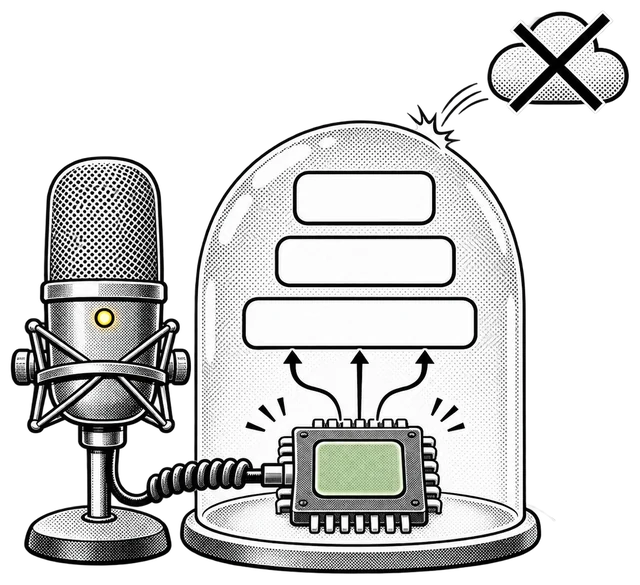
| Speech recognition | On-device Whisper on Apple silicon | Zero audio uploads by default; optional BYOK cloud engines (Alibaba Cloud Bailian, OpenRouter) |
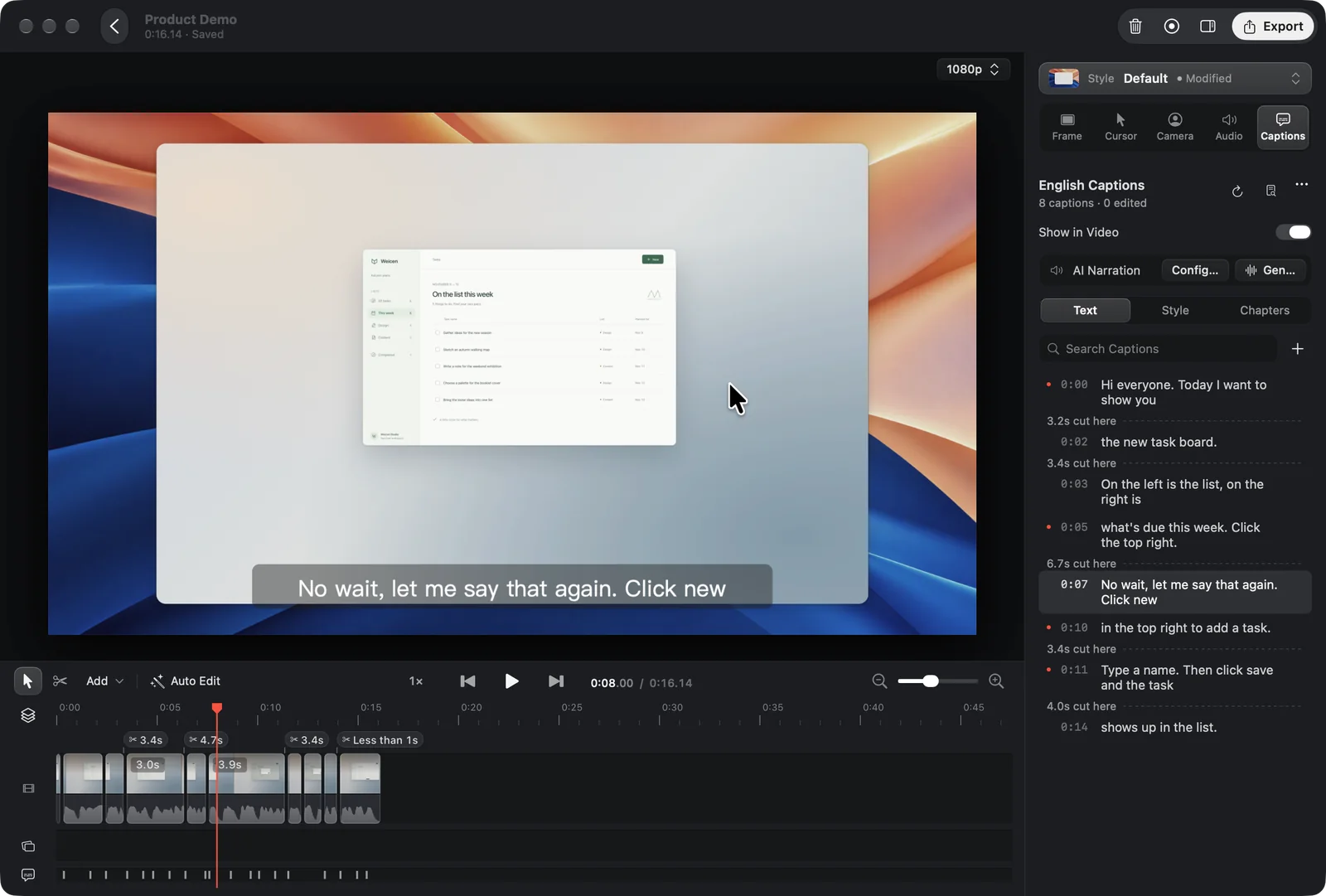
| Word-level & sentence cuts | Select words and press ⌘⌫ to cut video, or ⌫ for text-only | Live timeline highlight shows exact output range; single-step ⌘Z restores video, captions, and chapters |
| Remove Pauses (Keep Breath) | Word-boundary cuts with 150 ms breathing room | Reuses existing transcript caches instantly and ignores muted system audio tracks |
| Filler-word filtering | Hesitations removed; semantic words kept for review | Removes “um / uh / er / ah” and “嗯 / 呃” by default; keeps “like / so” for manual check |
| Captions & chapter bar | Three-tab inspector (Text · Style · Chapters) + SRT export | Chapter track and progress bar work at any video length whenever two or more chapters exist |
| Caption Narration | Synthesizes voice-over aligned to caption timing | Replace mic audio or mix, 0%–200% volume, 0.5×–2.0× pitch-preserving speed with your own keys |
How do word-level transcript cuts work on a multi-track screen recording?
Instead of hunting through audio waveforms, open the Captions inspector and drag across any words inside a caption field. Oil Studio highlights the corresponding span directly on the timeline.
Pressing ⌘⌫ cuts the screen video, camera, microphone, system audio, and selected words together while shifting downstream zoom blocks and chapters cleanly. Pressing ⌫ deletes only the text without trimming footage.
How does Remove Pauses avoid clipped consonants and abrupt jumps?
Raw silence gates often chop trailing consonants. Oil Studio anchors cuts to word timestamps with a default 150 ms Keep Breath margin, applies automatic audio crossfades across every edit point, and eases cursor and zoom transitions across cuts.
Can I generate an English or clean AI voice-over from edited captions?
Yes. After proofreading or translating captions, configure your own Alibaba Cloud Bailian, OpenRouter, ZenMux, ElevenLabs, MiniMax, or compatible endpoint key in Caption Narration to synthesize speech locked to your caption schedule.
Privacy and Data Handling
- Offline by default.Downloading a local Whisper model transfers only the model weights; your screen footage, microphone recordings, and transcripts remain on your Mac.
- Explicit opt-in for cloud APIs.Audio or caption text is transmitted externally only when you configure your own cloud transcription or TTS API key and run that action.
Related demos & verification links
Try word-level cuts in the browser, compare local vs. cloud transcription costs, or inspect the CLI subtitle commands:
- Interactive transcript editing showcasestudio.oiloil.org
Test word selection cuts, filler filtering, and 150 ms Keep Breath directly in your browser.
- Oil Studio vs. cloud transcript editors comparisonstudio.oiloil.org
Compare offline Apple silicon Whisper against monthly media-hour quotas and cloud uploads.
Public reference for oilstudio subtitles and narration automation commands.
Common questions
01Will Remove Pauses overwrite a transcript I already generated?
No. Whenever a matching word-timed transcript already exists for the project’s audio and language, Remove Pauses reuses it immediately without re-transcribing.
02Can I export standalone SRT subtitles without burning captions into the video?
Yes. You can burn styled captions into MP4/GIF exports, export standalone SRT subtitle files, or do both.