 Oil Studio
Automate Mac Demo Recording and Fine Cuts with Claude Code or Codex

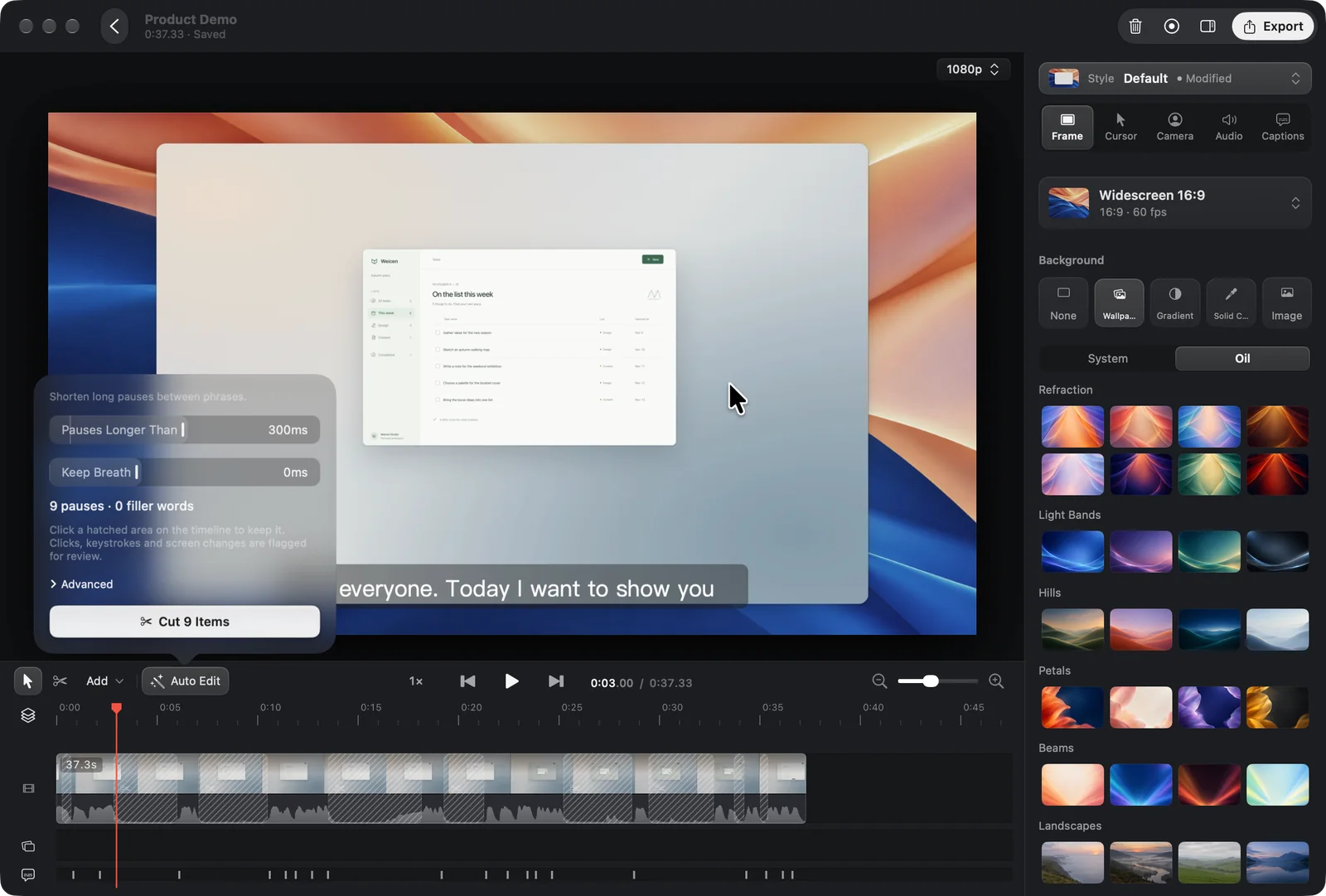
Core CLI Commands and Review Model
| Command | Purpose | Execution & Safety |
|---|---|---|
| oilstudio status | Verify app state, version, and Agent Skill compatibility | Read-only JSON handshake |
| oilstudio projects / import | List local .oilstudio projects or convert existing recording projects read-only | Originals are never modified |
| oilstudio record sources / start / click / stop | Capture a chosen native Mac window and synthesize smooth cursor paths and click zooms | Requires macOS and in-app user permission |
| oilstudio idle --submit | Strip silent waiting gaps between UI actions and rebuild auto-zoom alignment | Undoable in one step with ⌘Z |
| oilstudio context / plan validate / plan submit | Read word-timed transcripts and submit cuts, zooms, text overlays, and redactions | Reviewed item by item in Oil Studio before applying |
| oilstudio subtitles generate / apply | Generate captions, fix terminology and line breaks, or translate into English | Supports --plan to align with pending timeline cuts |
| oilstudio narration generate / export | Synthesize caption-synced AI voice-over and export 60 fps MP4, GIF, or SRT | Uses your own configured model API keys |
How do I install the oilstudio CLI and Agent Skill?
Open Settings › AI Agent inside Oil Studio and click Install to set up both the oilstudio binary and the Skill package automatically. You can also install the app via Homebrew Cask and add the Skill with the Skills CLI.
brew install --cask oil-oil/tap/oil-studio
npx skills add oil-oil/oil-studio-skill
oilstudio status
How does AI fine-cutting remove retakes without corrupting projects?
Agents never read or mutate files inside a .oilstudio bundle directly. When you ask Claude Code or Codex to cut retakes and fix product names, the agent calls oilstudio context to inspect word-level timestamps and pause candidates.
Every proposed cut, zoom adjustment, overlay, or redaction passes through oilstudio plan validate before arriving in Oil Studio’s review panel. You can preview individual cuts, untick anything you want to keep, apply in one click, or press ⌘Z at any time.
- Single-pass caption alignment.subtitles apply and chapters apply accept --plan so caption fixes and chapter markers queue cleanly against post-cut timeline positions.
- Pre-redacted agent vision.Existing pixel redactions are rendered before frames are handed to agent storyboards or OCR, and any proposal that narrows an existing redaction requires manual approval in the app.
How can an AI agent record a native macOS app walkthrough?
Once macOS screen recording permission and Oil Studio’s agent recording toggle are enabled, your agent can size and center a specific Mac window with oilstudio record prepare (for example 1280×800) and capture only that window.
Before each interaction, record click reports target coordinates so Oil Studio synthesizes a spring-smoothed cursor and click-following zoom instead of recording jerky raw pointer movement, then runs oilstudio idle --submit to remove loading waits before exporting.
Scope and Security Boundaries
- Built for .oilstudio projects.The CLI operates on structured recording projects containing cursor, click, and multi-track metadata—not arbitrary standalone MP4 or MOV files.
- Bring your own keys, zero markup.API keys stay in your macOS user configuration and are never echoed to agent logs; Oil Studio charges no AI credit packs or subscription tiers.
- Explicit human consent.Agents cannot grant macOS capture permissions or dismiss permission prompts, and an always-visible recording pill lets you pause or stop capture anytime.
Open repositories & verification links
Inspect the public CLI schema, Homebrew Cask formula, and interactive browser walkthrough directly:
- oil-studio-skill repository on GitHubgithub.com
MIT-licensed SKILL.md, oilstudio CLI flags, JSON output contracts, and Claude Code / Codex workflows.
- Official Homebrew Cask tap on GitHubgithub.com
Public notarized macOS release URLs and SHA-256 checksums.
- Interactive AI Agent fine-cut & recording showcasestudio.oiloil.org
Try the live browser simulation for semantic retake cuts and autonomous native Mac window capture.
Common questions
01Does Oil Studio charge per minute for AI agent editing?
No. The local CLI and Agent Skill are included in the one-time purchase with zero usage fees; your agent uses your own Claude Code, Codex, or model account.
02Can an agent overwrite my recording irreversibly?
No. Editing plans wait in the review panel by default, never alter source media, and remain fully undoable with ⌘Z.
03Is the AI Agent CLI available in the Mac App Store edition?
No. External CLI and agent integration require the direct website or Homebrew edition; the Mac App Store build runs inside the macOS App Sandbox.